
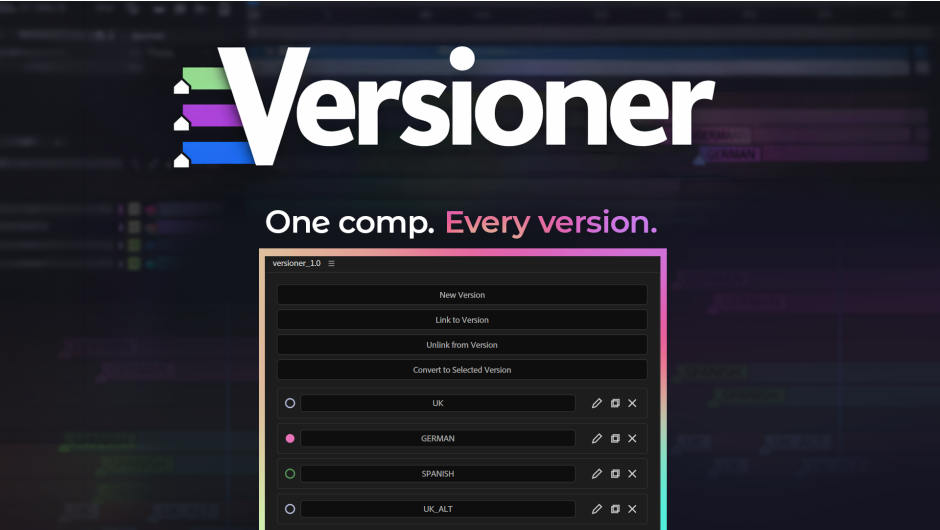
Versioner lets you manage multiple language or content versions without duplicating your projects or comps. Tag specific layers to specific versions, then switch between them instantly with a single click.
Key Features
⚡ One-Click Version Switching
Instantly toggle between versions (languages, client variants, text options). Only the correct layers are enabled — everything else is safely disabled.
🎨 Color-Coded Version Markers
Each version gets its own AE label color. Markers are applied to layers so you can visually inspect version membership directly in the timeline.
➕ Link Layers to Multiple Versions
Select layers and add them to one or more versions at once using a multi-select dialog. Perfect for shared design elements across languages.
➖ Clean Unlinking
Remove layers from specific versions safely. If a layer no longer belongs to any version, Versioner automatically removes its internal ID.
🧠 Smart Duplicate Handling
After Effects duplicates everything — including metadata. Versioner detects duplicated layer IDs and offers a one-click cleanup tool to prevent version conflicts.
🛡 Safe Version Deletion
Deleting a version:
- Removes its markers
- Cleans unused IDs
- Never deletes your artwork or layers
🧰 Built-in Debug Mode
Optional debug mode stores logs inside the project to simplify troubleshooting and support.
🔁 Automatic Recovery System
Accidentally deleted the internal storage? Versioner can rebuild all versions by scanning:
- Layer IDs
- Timeline markers
Your version structure can be restored automatically.
Download Setup aescripts – zxp installer
Download Free:
DOWNLOAD VIP